
Buzz Cut Filter - Try a Buzz Cut on Your Photo
Upload a front-facing photo to see what you would look like with a buzz cut, compare a fade, and save a clearer barber reference.
Upload a Photo for Your Buzz Cut Preview
Upload Your Selfie
Use a clear, front-facing photo so the buzz cut filter can show how a shorter hairline and tighter head shape may look on you.
Supported: JPG, PNG, WEBP • Max size: 10MB
Best photo tips for a more realistic buzz cut preview:
- Use a front-facing selfie with your full face visible
- Keep your forehead, temples, and side area visible
- Choose even lighting so the head shape and hairline stay clear
- Avoid hats, sunglasses, deep shadows, and strong side angles
Choose the Buzz Cut Style to Preview
Start with the shortest cut you are seriously considering, then compare a second option on the same photo.


Preview Color with the Buzz Cut
Optional: keep your current color or test a lighter or darker buzz cut finish.
Your buzz cut filter setup:
Loading credits...
Each buzz cut preview costs 2 credits
Buzz Cut Filter Examples: Length, Fade, and Realism
Compare a uniform buzz, a faded version, and a softer short cut on the same photo before you commit to the clippers.
Buzz cut preview setups
| Goal | Preview | Best for |
|---|---|---|
| Shortest possible look | Very close buzz or shaved-style preview | Checking head shape and facial focus before a bold cut |
| Everyday low-maintenance cut | Uniform buzz cut or slightly longer guard look | Testing a simple style that still leaves some softness |
| Cleaner barber finish | Buzz cut with fade or tighter sides | Comparing side contrast, beard balance, and hairline shape |
Before using the filter
Photo setup
- Use a front-facing selfie
- Keep temples, forehead, and ears visible
- Avoid hats, heavy shadows, and strong filters
Style decision
- Compare a uniform buzz and a faded buzz
- Check whether your beard changes the balance
- Save the result as a barber reference
Accuracy and barber notes
The buzz cut preview helps you judge face balance and style direction. Real clipper guard length, scalp shape, hair density, and fade blending still depend on your barber and hair growth pattern.
Why People Search for a Buzz Cut Filter
A buzz cut changes your hairline, head shape, and face balance more dramatically than most haircuts. People do not search this term to read theory. They want to see themselves with the cut first.
See the Buzz Cut on Your Own Face
A model photo cannot show how a buzz cut changes your forehead, jawline, ears, and overall proportions. This buzz cut filter puts the style on your own photo.
Reduce Regret Before You Shave
A buzz cut is a fast haircut to get and a slow haircut to grow out. A preview helps you judge whether the cut feels bold, balanced, or too severe before you commit.
Create a Better Barber Reference
A saved result helps you explain whether you want a uniform buzz cut, a faded version, or a slightly softer short crop when you sit in the barber chair.
Buzz Cut Preview Examples to Compare First
These examples focus on the most common buzz cut decisions: fully shaved length, slightly longer texture, and cleaner fade transitions.


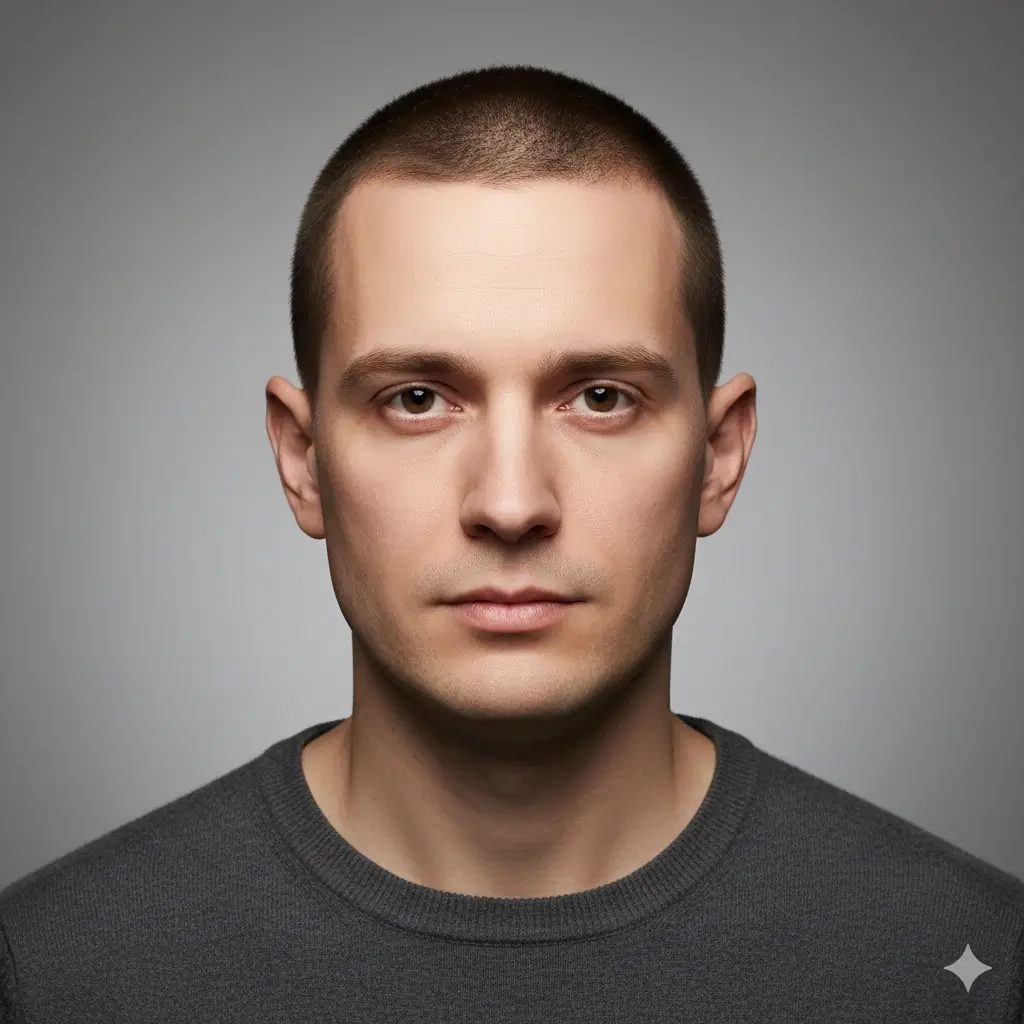
Classic Buzz Cut Preview
A classic buzz cut shows the biggest change in face framing and maintenance level, which is why it is the first preview most users want.


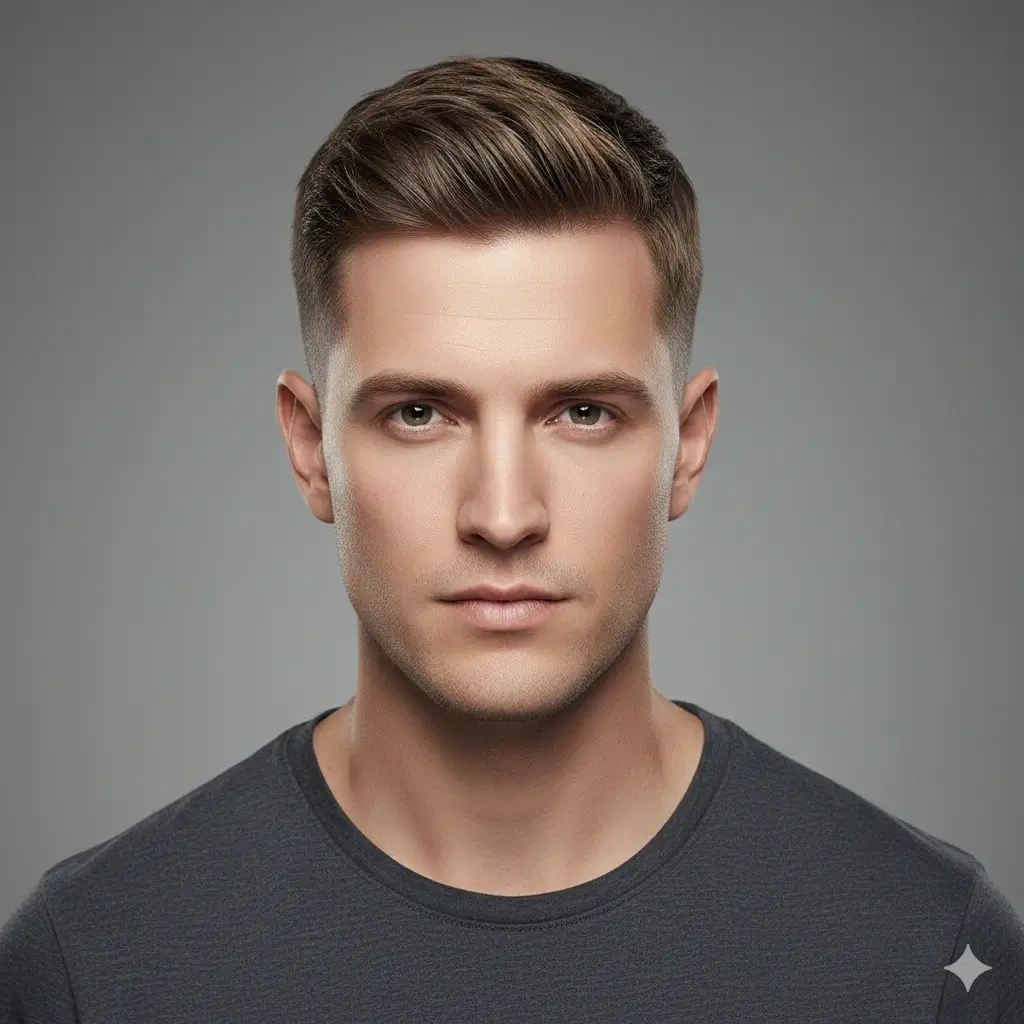
Buzz Cut Fade Preview
A faded buzz cut keeps the short look but adds cleaner edges and more structure around the sides.
Classic Buzz Cut
The shortest low-maintenance option when you want a direct answer to how a shaved look changes your face.
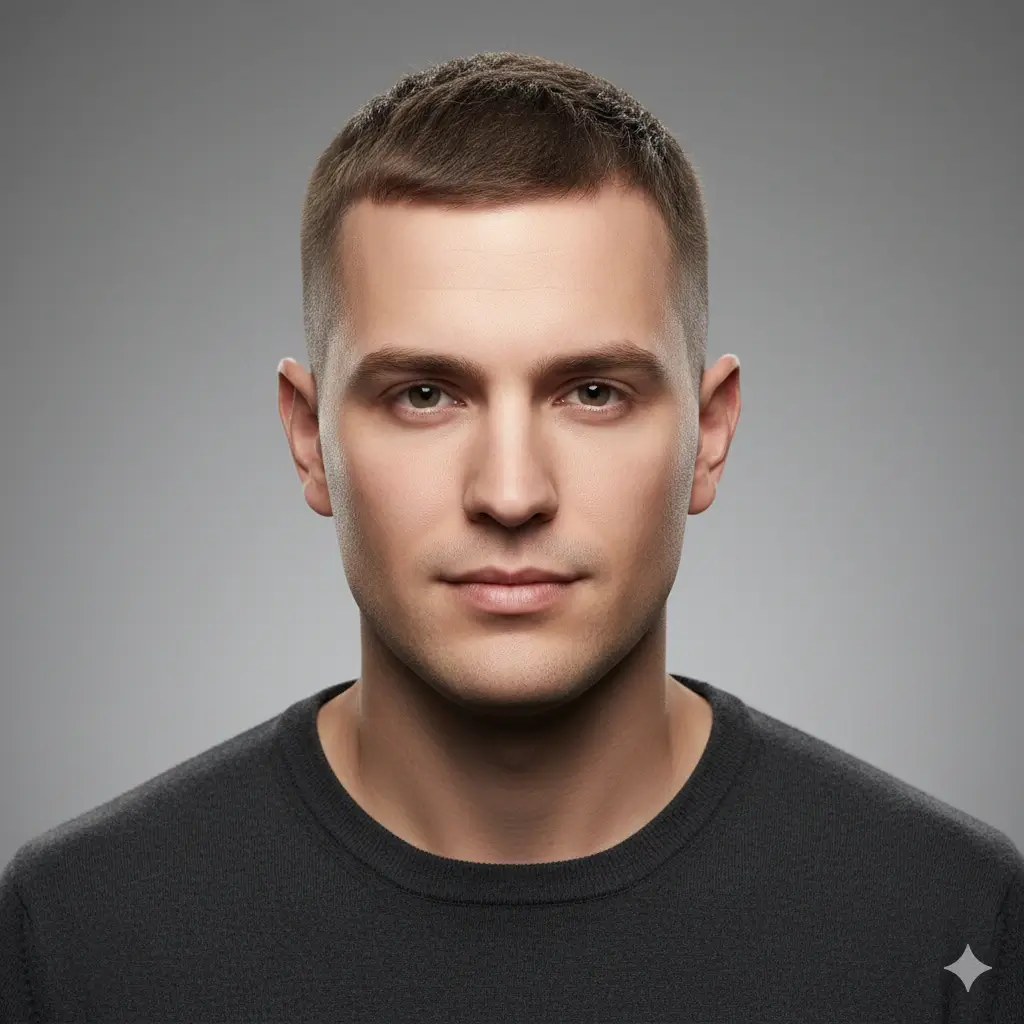
Longer Buzz / Crew Cut
A safer option if you want the simplicity of a buzz cut without going extremely short.
Buzz Cut with Fade
Useful when you like the short look but want cleaner side shape and a more barber-finished result.
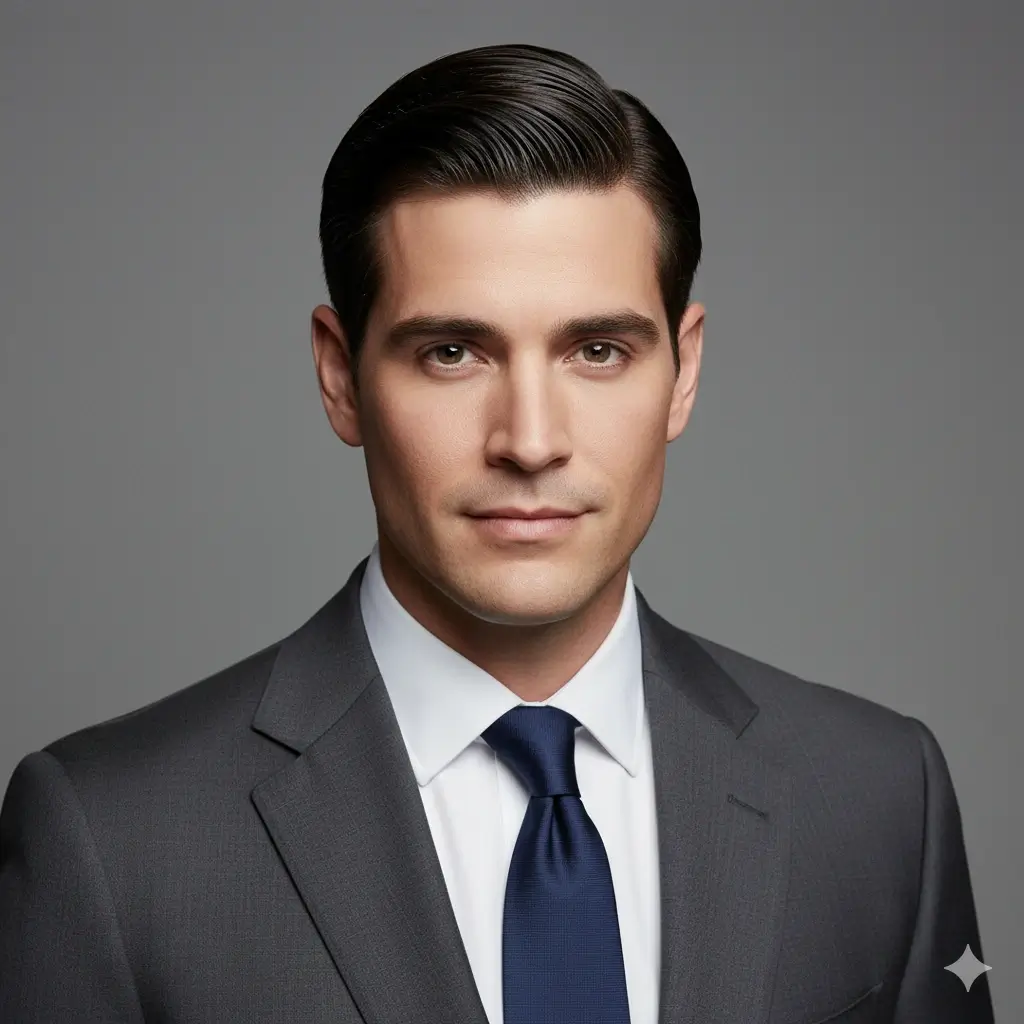
Soft Buzz Crop
A middle ground between a strict buzz cut and a slightly more forgiving short textured crop.
Buzz Cut Directions Worth Testing
A strong buzz cut page should help you compare practical variants, not just repeat the same shaved look.
Ultra-Short Options
These previews answer the direct question: what if I go very short right now?
- Classic Buzz Cut for the cleanest shaved look
- Slightly longer Crew Cut if you want less scalp exposure
- Black or dark brown color to see the sharpest outline
- Platinum or gray if you want a lighter buzz cut finish
Fade Variants
These options keep the buzz cut feel but change how polished or aggressive the sides look.
- Buzz Cut with Fade for cleaner side transitions
- Hard Contrast option if you want stronger separation
- Soft Side Buzz when you want a gentler edge
- Compare one fade variant against a uniform buzz cut
Decision Checks Before You Commit
The most useful preview is the one that answers whether you still like your face balance after removing length.
- Check how the buzz cut changes your forehead and temple area
- Compare jawline sharpness between shaved and slightly longer cuts
- Use the same photo for two or three variants before deciding
- Save the strongest preview as a barber reference
How to Use the Buzz Cut Filter
The process is simple: upload a photo, select the buzz cut direction you want to compare, then generate a result you can inspect or save.
Upload One Clear Photo
Use a front-facing selfie with visible forehead and temple area. This helps the buzz cut filter show how the shorter shape sits around your face.
Choose the Buzz Cut Style
Compare a classic buzz cut, a slightly longer crew-like version, a fade, or a softer short crop. You can also test a different hair color with the cut.
Review and Download the Preview
In about 30-60 seconds, you get a result you can compare, save, or bring to your barber as a clearer haircut reference.
Why This Buzz Cut Filter Fits the Search Intent
Focused on Buzz Cut Decisions
This page is built for one job: helping you decide whether a buzz cut, faded buzz, or slightly longer short cut works on your own face.
Compare Multiple Buzz Variants
A shaved cut, a fade, and a softer short crop can feel very different. Previewing more than one variant gives you a better answer.
Preview on Your Own Photo
The important question is not whether a buzz cut looks good on a model. It is whether it looks balanced on your forehead, jawline, and head shape.
Save a Better Barber Reference
Download the result and show your barber whether you want a uniform buzz cut, a fade, or a slightly softer version.
Works on Phone and Desktop
Try the buzz cut filter on your phone before an appointment, or compare results on desktop when you want a larger view.
Private Photo Handling
Your uploaded photo is used only to generate the preview, and uploaded and generated images are automatically deleted within 24 hours.
How Accurate Is a Buzz Cut Preview?
A buzz cut filter is most useful for shape and proportion decisions. It can show direction clearly, but it cannot promise an identical real-world barber result.
Best for Face Shape Comparison
The preview is strongest when you compare how a buzz cut changes your forehead, temples, ears, jawline, and overall head balance.
Not an Exact Barber Guarantee
Real outcomes still depend on hair density, growth pattern, scalp visibility, hairline shape, and how short your barber actually cuts.
Compare More Than One Length
If you are unsure, preview a strict buzz cut and a slightly longer short cut on the same photo. That usually gives a clearer decision than a single extreme result.
Practical rule
If you still like the preview after looking at your forehead, temple area, and jawline, the buzz cut is usually a stronger candidate than a style you only like on someone else.
What This Buzz Cut Filter Helps You Decide
The value is not only seeing a shorter haircut. It is deciding whether the buzz cut fits your face, maintenance level, and confidence before you remove real length.
See the Buzz Cut Before You Shave
Preview the shortest look first so you do not have to guess how dramatically the cut will change your appearance.
Compare Safer vs Bolder Options
Use the page to compare a strict buzz cut with a softer short cut or a fade before choosing the most aggressive version.
Reduce Haircut Regret
A buzz cut is quick to get and slow to grow out. Trying it virtually first can save you from a decision that feels too harsh in real life.
Walk In with a Clearer Reference
A saved preview helps your barber understand whether you want a uniform buzz, cleaner fade, or a slightly longer version.
FAQ About the Buzz Cut Filter
These are the questions people usually ask before trying a buzz cut on their own photo.
Ready to Try a Buzz Cut on Your Own Photo?
Upload a selfie, compare shaved and faded buzz cut options, then keep the preview that helps your next barber decision.
Use this buzz cut filter to try a buzz cut on your own photo before you shave or clip your hair. Compare classic buzz cuts, slightly longer short cuts, and fade variants, then download a clearer barber reference in minutes.