
Wolf Cut Filter - Try a Wolf Cut on Your Photo
Upload one clear selfie and test a wolf cut, men's wolf cut, shaggy layers, or a softer mullet-inspired shape on your own face. This page is built for people who like wolf cut inspiration but need to know whether the volume, fringe, and layered ends fit their real photo.
Upload a Photo for Your Wolf Cut Preview
Upload Your Selfie
Use a clear front-facing photo with your hairline, cheeks, jaw, and shoulders visible so the wolf cut filter can judge fringe, layers, and side volume.
Supported: JPG, PNG, WEBP • Max size: 10MB
Best photo tips for a realistic wolf cut preview:
- Use even light and keep your full face visible
- Include the sides of your hair and shoulders so layers have room
- Avoid hats, heavy filters, wet hair, and strong side angles
- Use the same photo when comparing wolf cut men, shag, and soft mullet options
Choose the Wolf Cut Style to Preview
Start with the version closest to your real goal, then compare a softer or more masculine variant on the same photo.
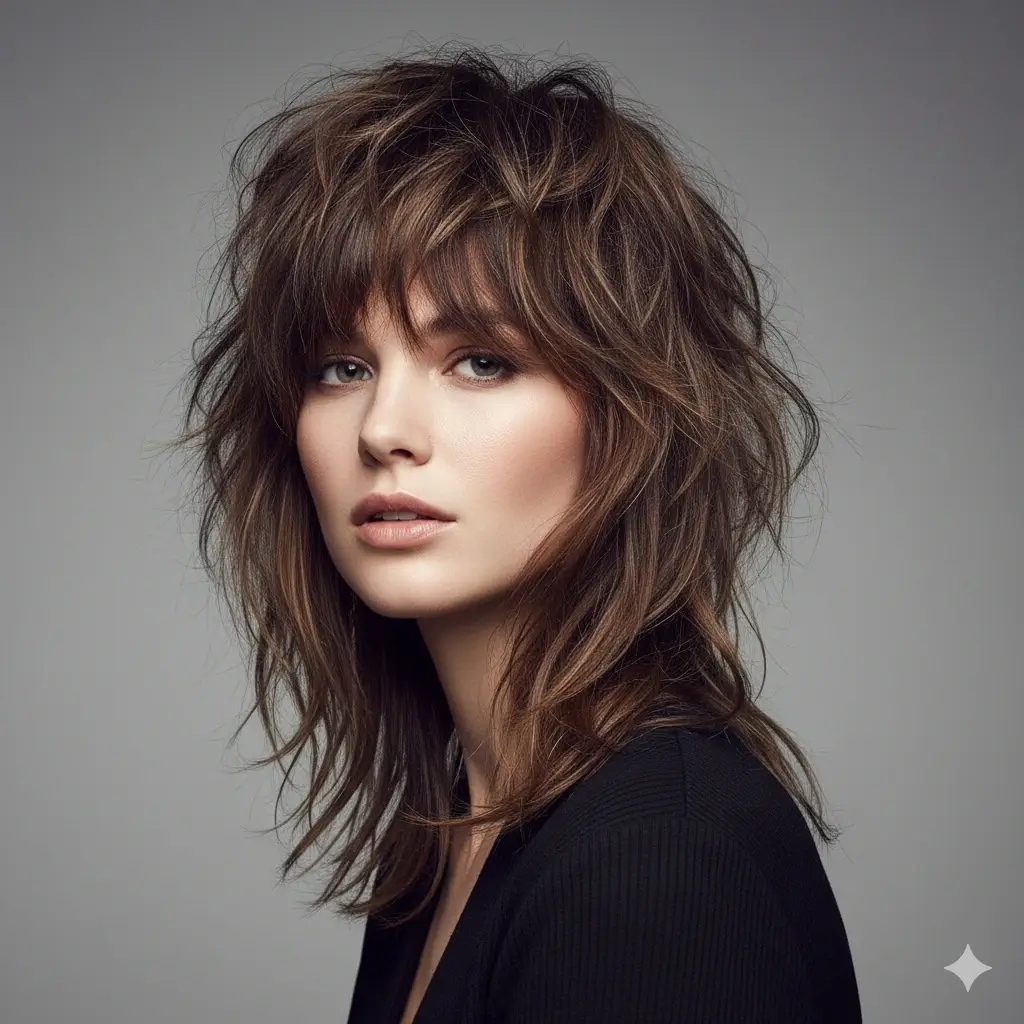
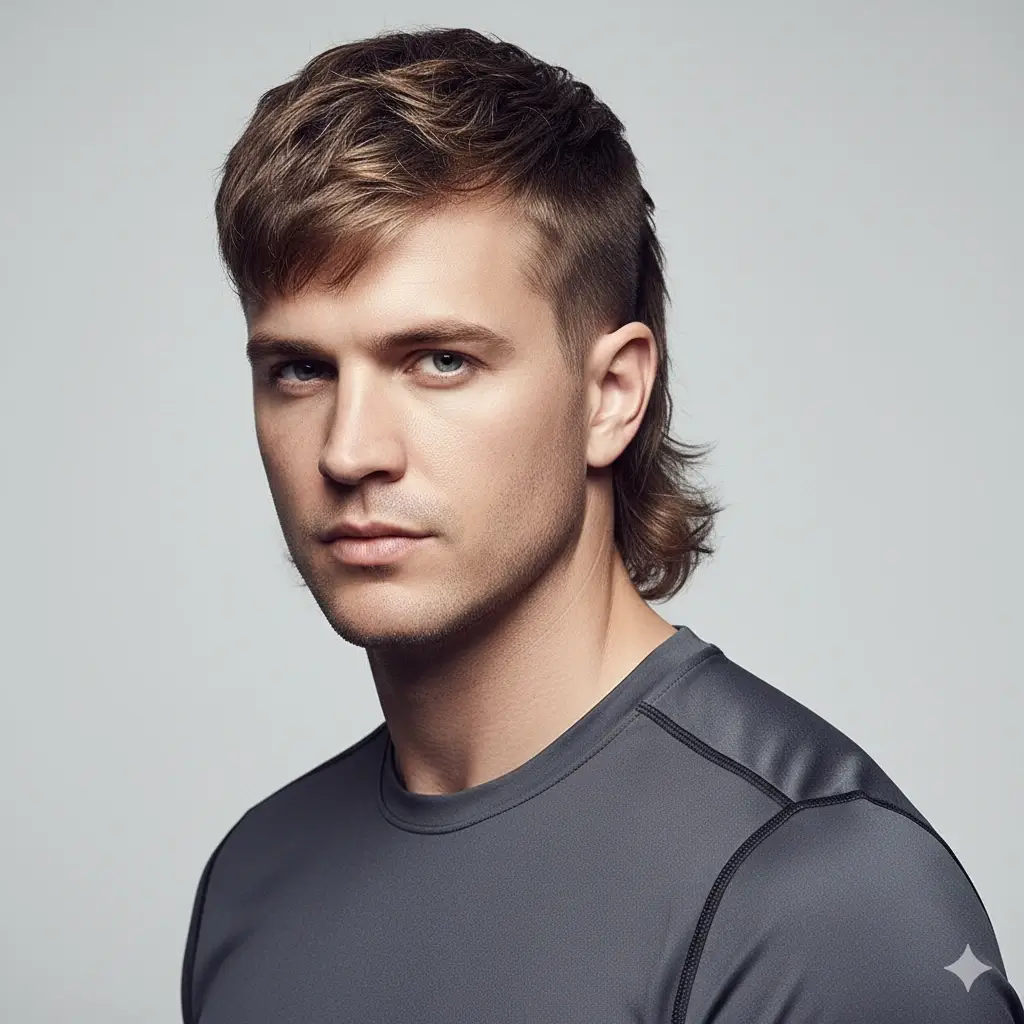
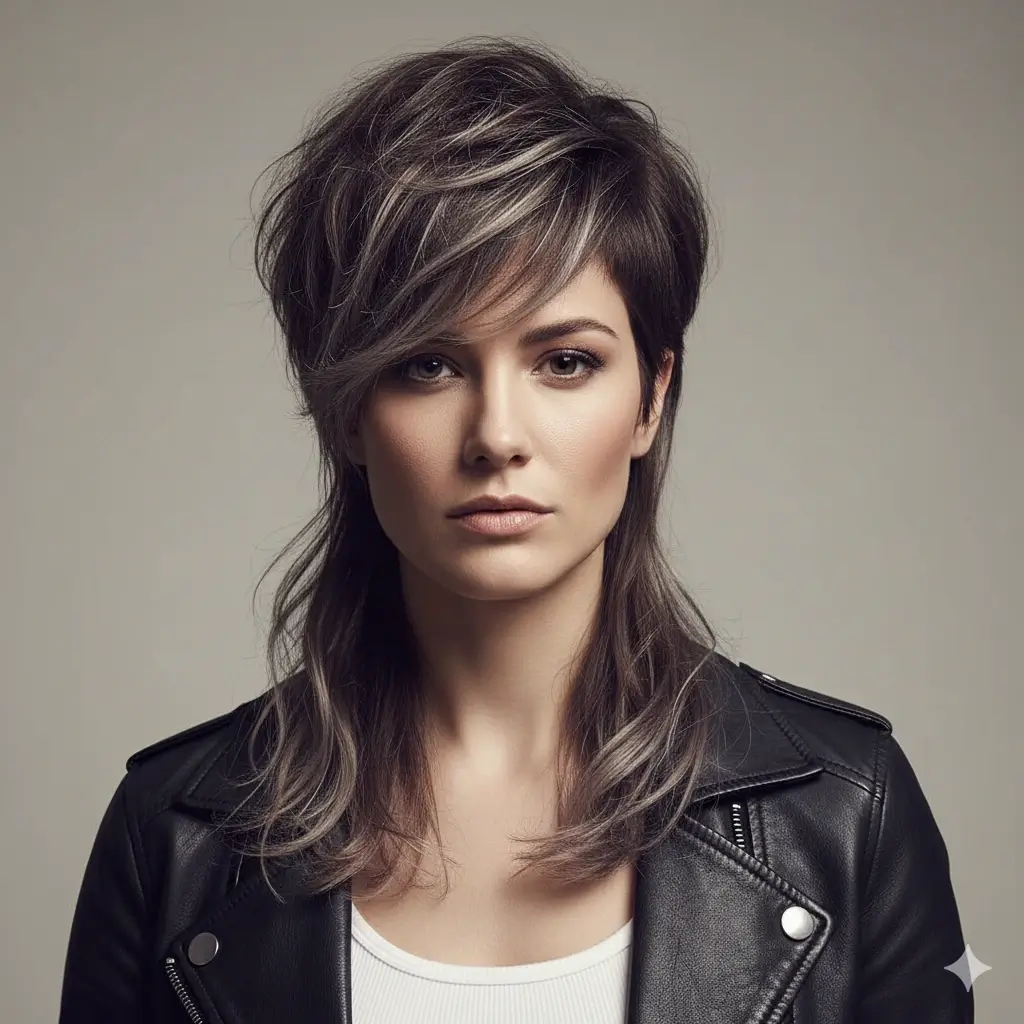
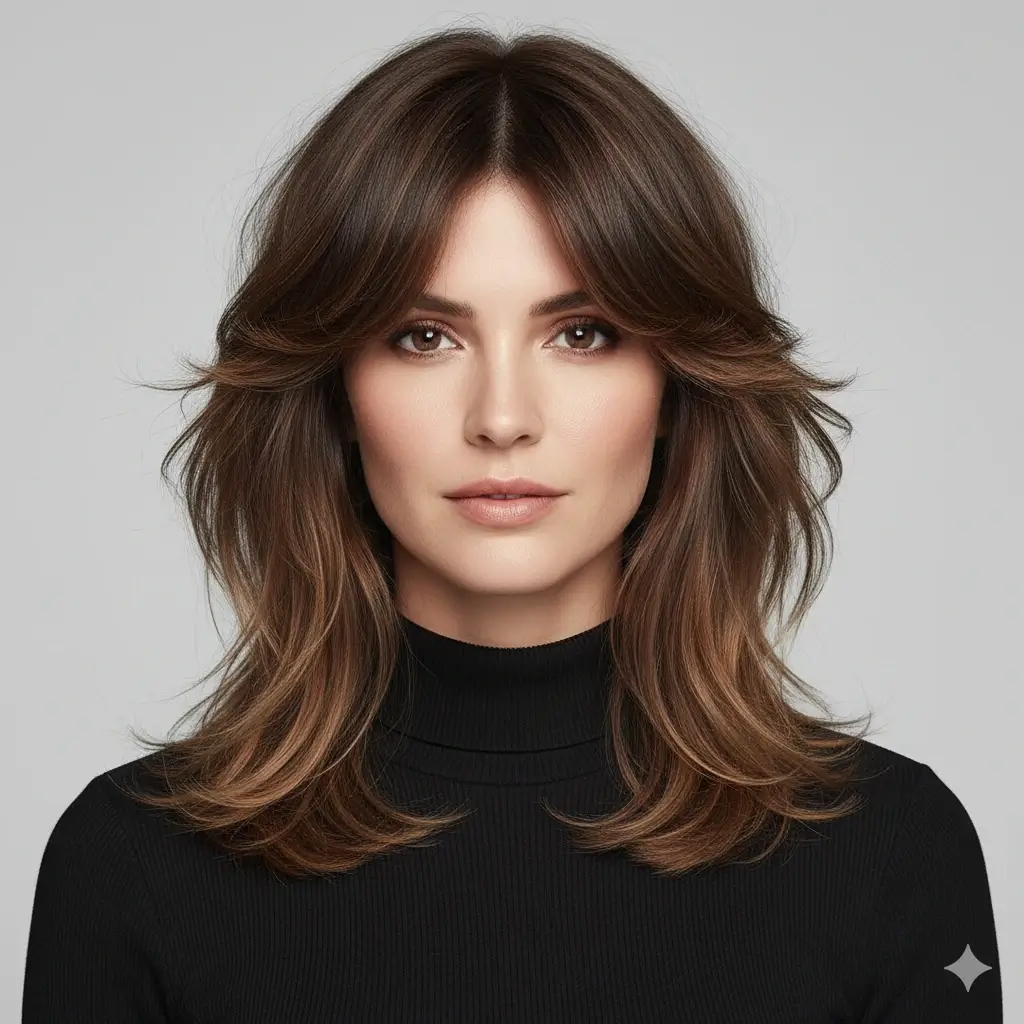
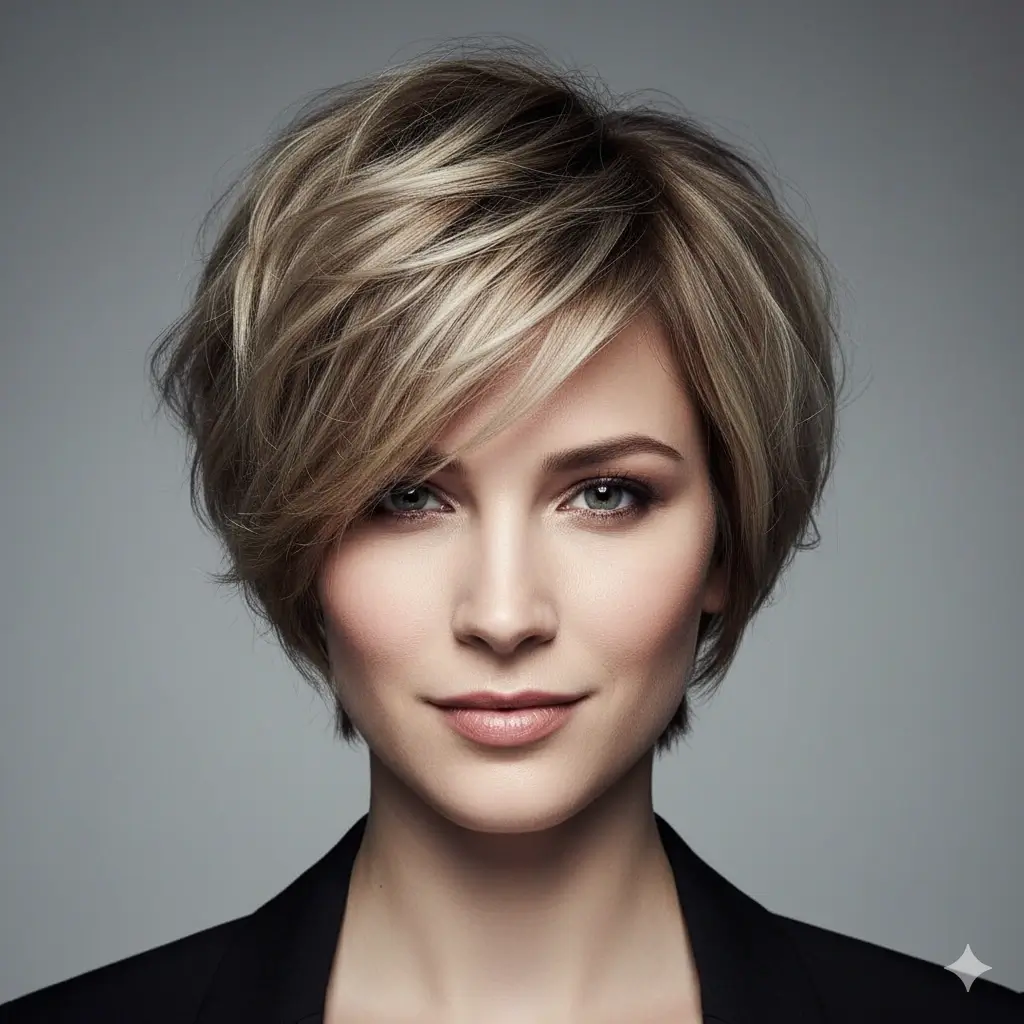

Preview Color with the Wolf Cut
Optional: keep your current shade or test whether the layered shape reads better with a warmer, lighter, or darker color.
Your wolf cut filter setup:
Loading credits...
Each wolf cut preview costs 2 credits
Wolf Cut Filter Styles, Face Shape Checks, and Photo Tips
A wolf cut is not only a trendy haircut. It changes the weight around your cheekbones, neck, forehead, and profile, so previewing the shape first helps you avoid choosing a style that only works on someone else's texture.
Wolf cut preview combinations
| Current goal | Try this preview | Best for deciding |
|---|---|---|
| A masculine wolf cut with movement | Men's Wolf Cut or Curtain Wolf Shape | Whether volume around the temples and nape works with your jawline |
| A softer shaggy wolf cut | Wolf Cut or Shaggy Wolf Layers | Whether face-framing layers flatter cheeks and forehead |
| A shorter trendy version | Short Wolf Bixie | Whether you like the shape without growing much length first |
| A mullet-inspired direction | Soft Wolf Cut | Whether the back length feels stylish or too heavy |
Check Before You Generate
Photo setup
- Face and hairline are clear
- Neck and shoulders are visible
- Lighting is even
- No hat or heavy filter
Style decision
- Compare men's and soft variants
- Check fringe length
- Look at side volume
- Save the best barber reference
Accuracy and stylist notes
The wolf cut preview helps with shape, proportion, and reference planning. Real results still depend on hair density, natural wave, curl pattern, current length, thinning, and how your stylist cuts the layers.
Why People Search for a Wolf Cut Filter
Search demand around wolf cut men, wolf haircut, and how to style a wolf cut is mostly visual. People want inspiration, but they also need a way to test whether the trend fits their own face before booking a cut.
See the Trend on Your Own Face
Pinterest and video examples can show the shape, but they cannot show how a wolf cut changes your forehead, jaw, and neck balance.
Compare Layers Before Cutting
The wolf cut depends on layered weight. A preview helps you compare shaggy layers, curtain framing, and mullet-inspired length before removing real hair.
Create a Better Barber Reference
A saved result gives your stylist a clearer idea of whether you want a men's wolf cut, soft wolf cut, or shorter bixie-like version.
Wolf Cut Directions Worth Testing
The best preview compares shape, fringe, and side volume rather than treating every wolf cut as the same haircut.
Wolf Cut Men
Useful when you want texture, movement, and a more masculine outline.
- Men's Wolf Cut for a stronger nape and side shape
- Curtain Wolf Shape when you want softer front pieces
- Dark colors to check the outline clearly
- Compare against your current haircut before booking
Soft Wolf Layers
Useful when you want the trend without an aggressive mullet finish.
- Classic Wolf Cut for balanced layers
- Shaggy Wolf Layers for more movement
- Auburn or brown when warmth affects the look
- Check whether cheek framing feels flattering
Short Wolf Ideas
Useful when you like the trend but do not want long back length.
- Short Wolf Bixie for a shorter test
- Soft Wolf Cut if you want some back length
- Keep original color for the clearest shape decision
- Use the preview as a salon reference, not a guarantee
How to Use the Wolf Cut Filter
Upload a selfie, choose a wolf cut direction, optionally choose a color, and generate a preview you can compare before cutting layers.
Upload One Clear Photo
Choose a photo where your face, hairline, neck, and shoulders are visible. The tool needs space to place layered ends and back length.
Choose a Wolf Cut Variant
Select a classic wolf cut, men's wolf cut, shaggy wolf layers, soft mullet shape, or short wolf bixie depending on the result you want.
Review and Save the Result
Compare the preview with your current look, then download the best result to discuss with a stylist or barber.
Wolf Cut Filter Features
Style-Specific Preview
The page focuses on wolf cut decisions instead of a generic hairstyle swap.
Men's Wolf Cut Options
Preview more masculine wolf cut shapes with curtain, shag, and mullet-inspired balance.
Layer and Fringe Comparison
Compare how heavy layers, face framing, and shorter variants change your proportions.
Optional Color Testing
Keep your color or test darker, lighter, warmer, or gray finishes with the layered shape.
Works Online
Use the filter on phone or desktop without installing an app.
Private Photo Handling
Uploaded and generated images are automatically deleted within 24 hours.
How Accurate Is a Wolf Cut Preview?
The preview is best for deciding whether the shape and visual weight suit you. It is not a promise of exact salon layers.
Best for Shape Decisions
Use it to judge fringe position, cheek framing, side volume, and nape length.
Not an Exact Hair Texture Match
Real texture depends on density, wave, curl, thinning, styling product, and daily blow-drying.
Compare More Than One Version
Try a men's wolf cut and a softer wolf cut before deciding which reference feels more natural.
Practical rule
If you like the preview only from one angle, ask your stylist for a softer version first. If it works around the forehead, cheekbones, jaw, and neck, the wolf cut is a better candidate.
What the Wolf Cut Filter Helps You Decide
Use the tool when you want the trend but need a practical answer before changing length, layers, or fringe.
Reduce Haircut Regret
Wolf cuts can remove weight in visible places. Previewing first helps you avoid a shape that feels too heavy or too sharp.
Explain the Cut Clearly
A generated reference helps you describe the exact balance between shag, mullet, curtain hair, and short layers.
Match the Cut to Your Face
The preview shows whether the style suits your forehead, cheekbones, jawline, and neck.
Save a Reference
Download the result and bring it to a stylist for a more concrete conversation.
Wolf Cut Filter FAQ
Quick answers for using the wolf cut AI preview as a practical planning tool.
Ready to Try a Wolf Cut on Your Photo?
Upload one selfie, compare wolf cut men, shaggy layers, and softer wolf shapes, then save the preview that fits your next haircut decision.
Use this wolf cut filter to preview a wolf cut, men's wolf cut, wolf haircut, or shaggy layered style online before changing your real hair.